Answering 6 most frequently asked questions about Flex Databases Pharmacovigilance module
April 28, 2022
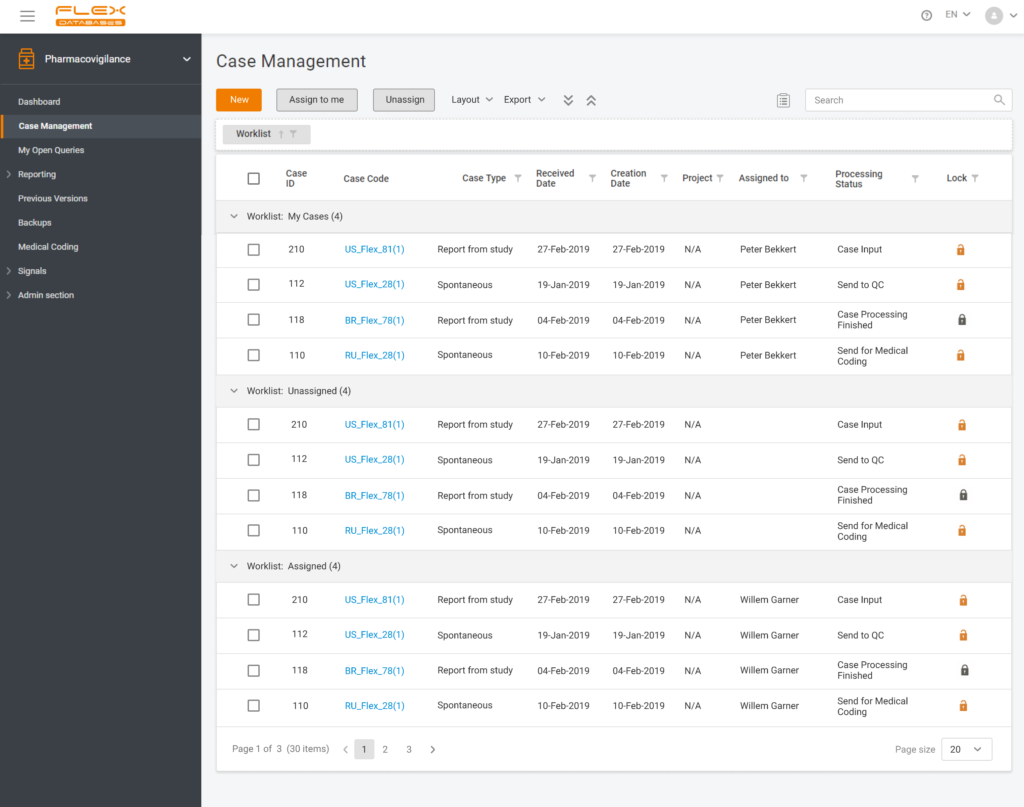
Each step of Flex Databases is always done with one thought in mind – to save time and money for our clients. That’s why to save your time and give you a deeper understanding of how our Pharmacovigilance module work, we are happy to answer the six most frequently asked questions about the system.
How does the search for duplicates work?
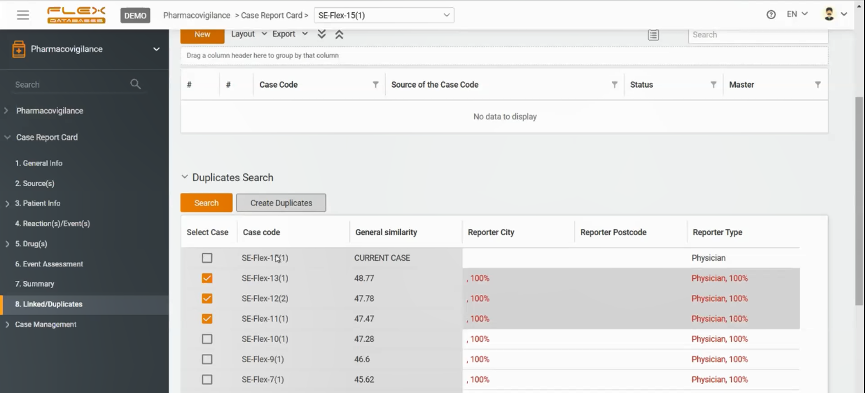
Flex Databases Pharmacovigilance provides you with a neural network-based duplicate search tool.
After a new case is created, the user can go to the section Linked/Duplicates and execute a quick check. The system will demonstrate not only what cases might be duplicated but also the percentage of identical information with other cases. In addition, you can always choose a master case accounted as the major one for the whole bunch of duplicates, if any, then all the rest go to the archive.
How does the system perform multilingual reporting?
One case can be entered into the system in several languages.
The only thing a user has to do to arrange it is to fill all free-text fields, such as comments, in several languages. All the drop-out fields of the system will be translated automatically.
While reporting, the user is to choose the language needed and the Regulatory Agency to send out the report to.
How does the system manage region-dependent submissions with different people responsible?
Most countries or regions have unique requirements when it comes to reporting, and most companies allocate dedicated Drug Safety specialists for each country or region to manage. Flex Databases Pharmacovigilance provides you with a special country submission reporting tool, where you can assign users/Drug Safety Specialists to the country they’re responsible for.
What types of periodic reports are there in the Pharmacovigilance module of Flex Databases?
To minimize the risks of delays while reporting to the authorities, we created Reports Calendar. All periodic reports are indicated in this Calendar automatically.
To save the time of Drug Safety Specialists, listings and tabulations are built into the system to ensure that no piece of information required will get lost or missed.
For BI-type reports, a constructor exists to create any possible reports filtering the data by the responsible person, drug, reaction, etc.
How do queries work?
To raise a query within the system, the user should push a little icon with a pencil under a box with the information they want to raise a query to.
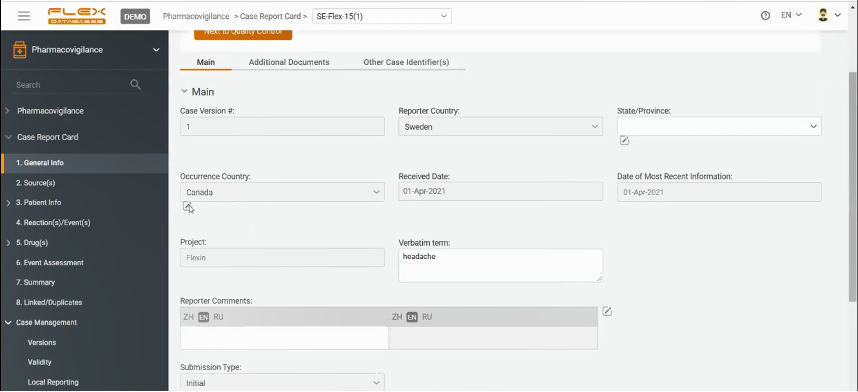
A pop-up window will appear to be fulfilled. The user is to create a query there, indicating to whom this query is allocated. Queries can be internal – to a team member or external – to Investigator or clinical team.
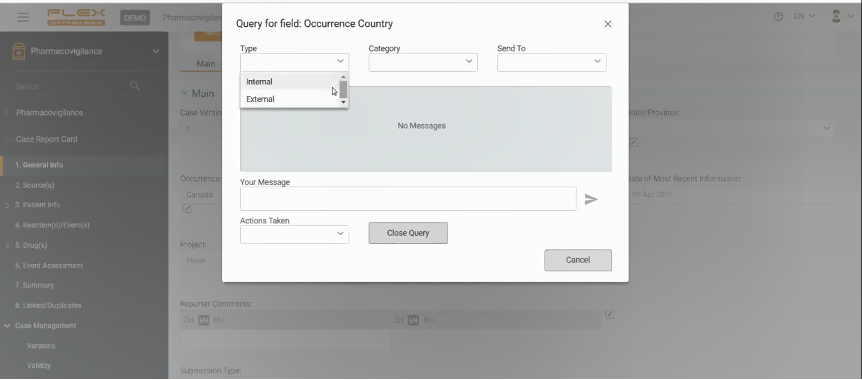
If the query is directed to another team member, they will receive a notification in the system and will be able to answer it on the platform. And again, the system will inform the author of the query that the query has been closed.
If the user wants to address the query to a non-system user (i.e., Investigator), there is always an option to send an email directly from the system. When the user receives the answer from the Investigator, Drug Safety Specialist inputs it into the Pharmacovigilance module.
What is the version of the case? How to assess follow-ups and present streamlined record management to an auditor?
When the case is added to the system, it automatically receives a number with the version indicated in brackets. When the case is created, the number in brackets is always 1. Once the case is finalized and validated, the first version is locked.
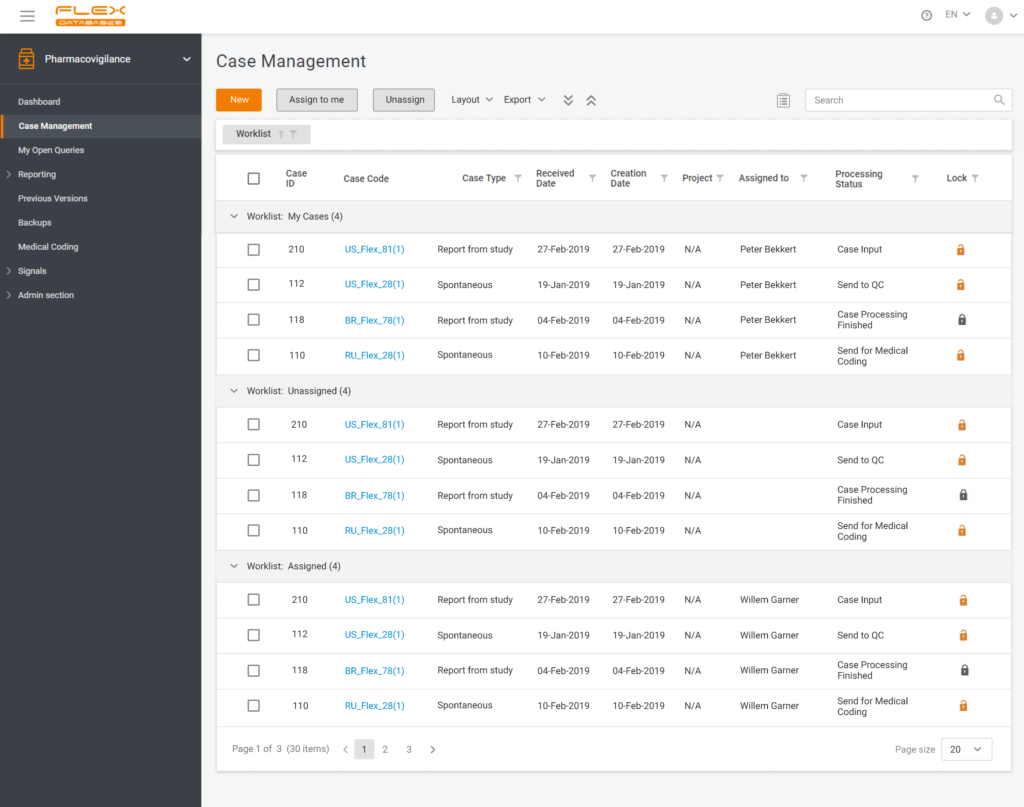
With each follow-up from the authority, the user unlocks the case, and the system changes the number of the version respectively. All the trails stay kept within the platform, so when/if an auditor needs to make sure Drug Safety Specialists comply with adequate record management, there is proof of all the due diligence procedures conducted by the Drug Safety Team.
Reach out to our BD team at bd@flexdatabases.com to learn more about the Pharmacovigilance module, or fill up the form on top of the page to schedule a demo.