Simplify data migration with our new tool – Data Import Wizard
April 11, 2022
We have constantly been developing our eClinical solutions keeping simplicity as one of our products’ core values. At the same time, we strive to implement new tools that make our clients’ lives easier and the processes faster. It is a significant issue when migrating to a new system, and this fact pushed our developers to create a feature changing the process of data migration forever.
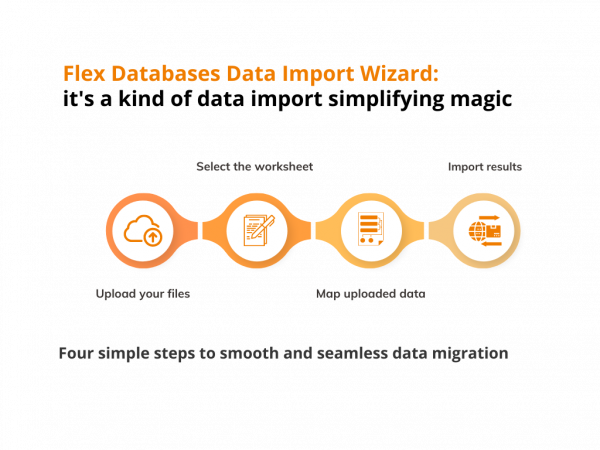
Meet our new tool – Data Import Wizard. You don’t have to import all your data from Excel documents manually, and you don’t even have to add the information manually any longer. Let us introduce you to our way of automatic data import.
These are four humble steps that will allow you to add or update the information in Subject tracking and Invoicing, HR Database, and Project Catalogue modules in a few seconds.
Here’s how to upload your Master List of Procedures to the system with the help of the Data Import Wizard.
Step 1. Upload file.
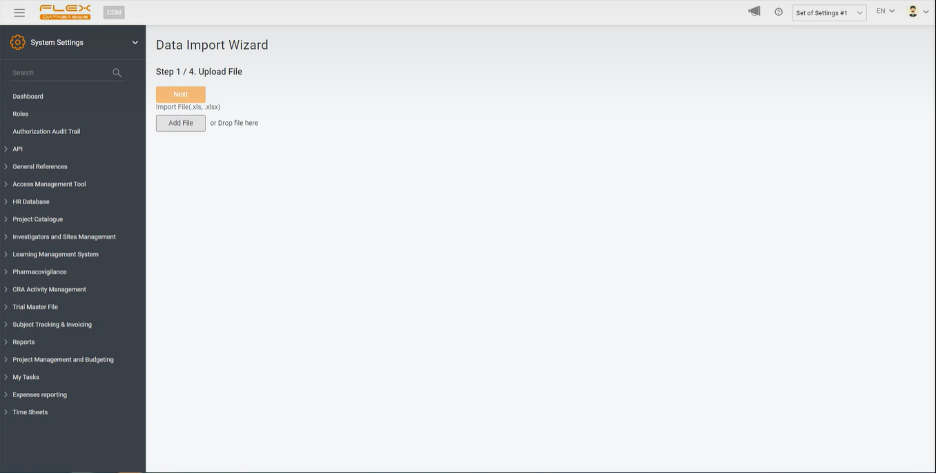
Upload your Excel file in any of two ways available: add a file from your computer by clicking the button on the screen or drag-and-drop it to the open window.
Step 2. Select Worksheet
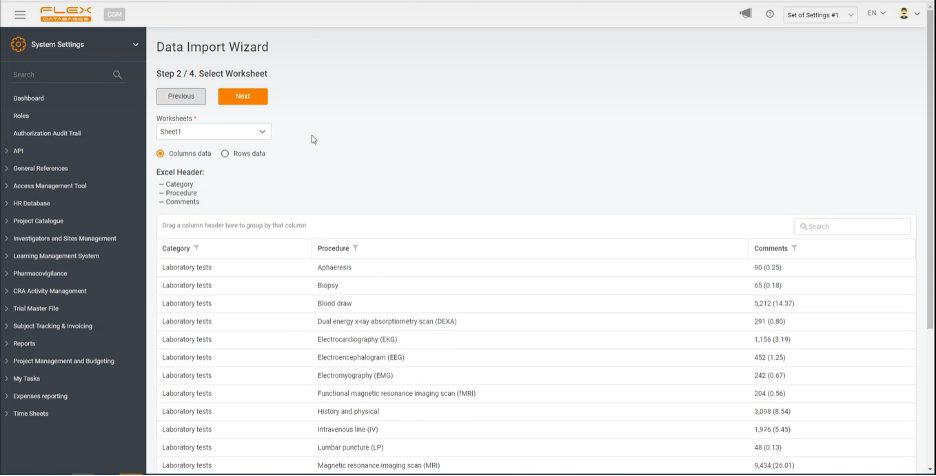
The system identifies the Excel header and implements it into the platform, automatically giving you the option to switch between all the worksheets of the uploaded file. You don’t even have to create a separate document for the platform, but take the ones you already have and adapt them to your needs within the system.
Step 3. Map uploaded data
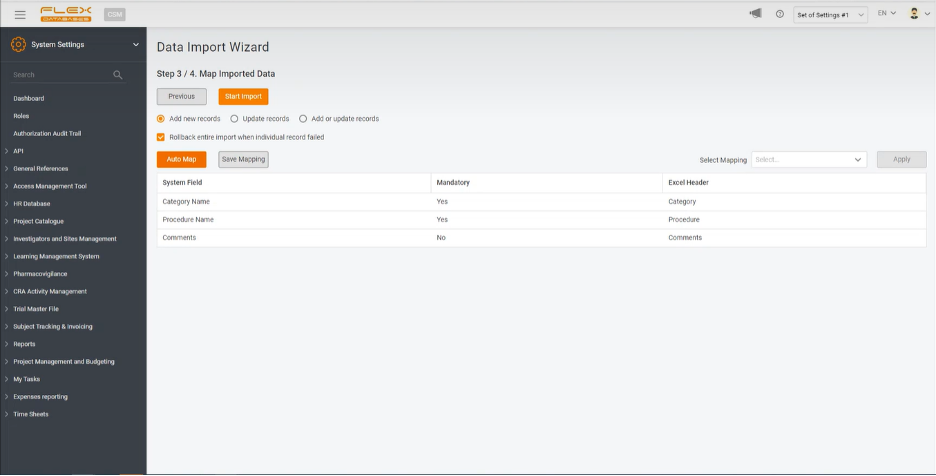
At this step, you must choose what exactly you need to do with the uploaded data. You can either import the whole table, map the Excel table’s headings with the system ones, or just update the data. The system will automatically identify new data and add it to the platform if the latest.
Step 4. Import results
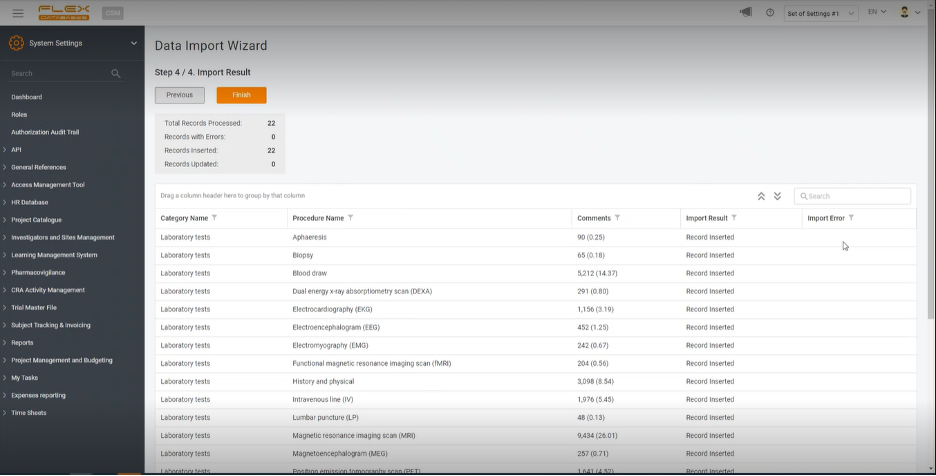
The last step will lead you to a summary of the total number of newly added and updated records. You will be able to ensure that the data has been uploaded correctly. If any kind of error appears, the system will indicate it in the field “Import Error,” excluding all the mistakes possible.
This new approach to data import aims to ensure both a smooth and fast data migration to our platform for our new clients and, at the same time, reduce time spent on data upload by our current partners.
Reach out to our BD team at bd@flexdatabases.com to learn more about Data Import Wizard or schedule a demo.