Product Updates: December, 2024
December 19, 2024
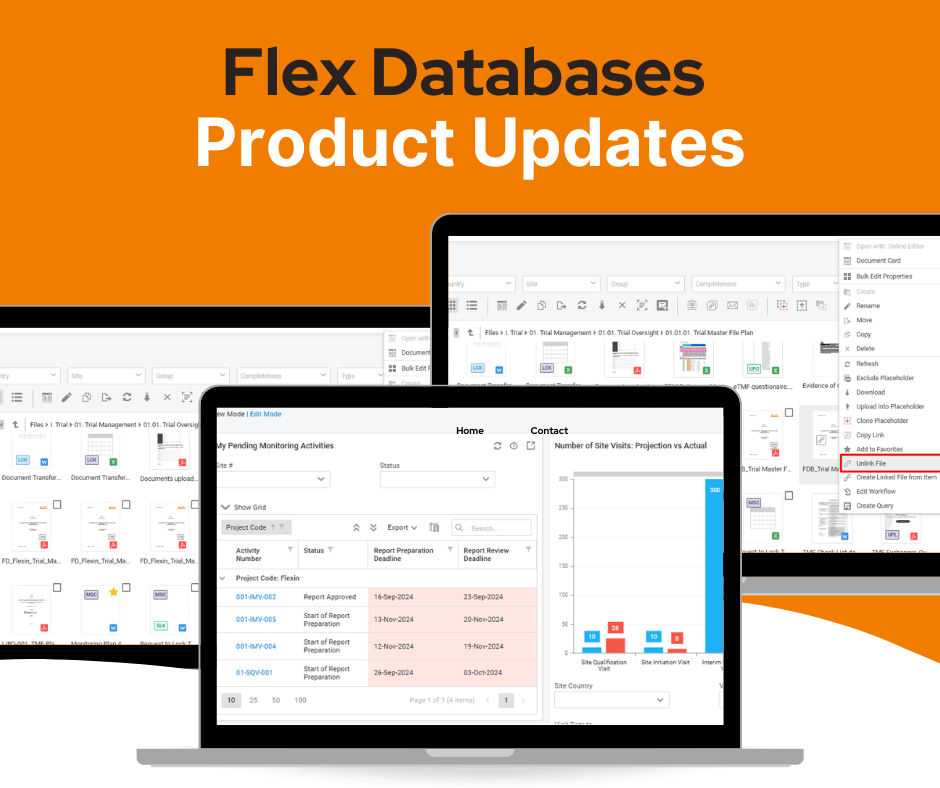
We are excited to announce several new features and improvements to Flex Databases’ modules. These updates aim to streamline workflows, enhance usability, and improve overall efficiency for our users. Here’s an overview of the latest developments and their benefits.
Trial Master File (TMF)
Duplicates Search: Files Content Comparison
Path: Trial Master File → (open project) → Duplicate Files
Managing potentially duplicate files is now simpler and more efficient. Users can compare the contents of two files in a single view and quickly identify differences.
- New Option: A “Compare Files” icon is now available under the ‘Actions’ group for each duplicate file with a content match of less than 100%. This feature is accessible to users with TMF Data permissions to view both the source file and the duplicate.
- Split View:
- Clicking ‘Compare Files’ opens a split-view interface with the source file on the left and the duplicate on the right.
- Differences are highlighted with color for easy identification.
- Users can scroll through both files simultaneously.
- Navigation icons allow users to jump directly to differences.
- A full-screen mode toggle is also available for better visibility.
Benefits:
- Saves time by enabling quick identification of differences between files.
- Reduces errors and enhances data consistency.
- Improves user efficiency with a clear and intuitive interface.
Project Management & Budgeting
Budget Import Enhancements
The budget import feature has been extended with additional validation checks to ensure data consistency:
- Update Restrictions: Prevents changes to the task structure.
- Field Types: Validates numerical, text, and date fields.
- Multirole Parent-Child Consistency: Ensures multirole task requirements are met.
- Available Countries: Verifies that listed countries are added to the project.
The point “Data Replacement Warnings: Alerts users when data is replaced with new values” has been removed as it is described later in the detailed problem notifications.
This structure puts the main part (“Update Restrictions”) at the beginning and merges it with the structure-related check.
These checks aim to prevent inconsistent task structures that could lead to calculation errors. Additionally, the system provides detailed problem notifications in the import log, including line numbers and column names for easy troubleshooting.
Note: Changes in the budget document can impact Units Planning, Final Budget, and Performance Reports, but these dependencies are not checked during the import process.
Benefits:
- Ensures accuracy and integrity of imported budgets.
- Minimizes errors and inconsistencies in task structures.
- Provides clear guidance for resolving issues, improving user confidence.
CRA Activity Management
Module Dashboard Upgrade
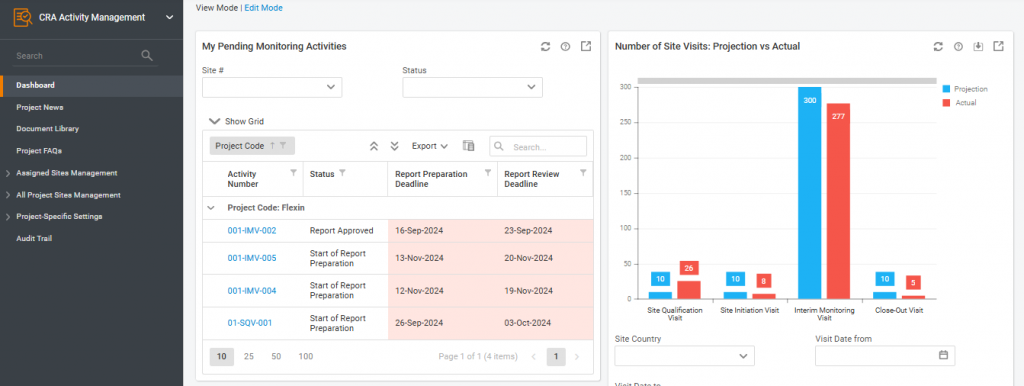
A new dashboard has been introduced to the CRA Activity Management module, featuring a default set of widgets:
- My Pending Monitoring Activities
- Number of Site Visits: Projection vs Actual
- Site Visit Reports: Preparation Compliance
- Site Visit Reports: Approval Compliance
- Total Number of Deviations per Site
- Issues Resolution Time
Edit Mode:
- Users can customize the dashboard layout and add new widgets.
- Reports built in the Report Tool can be added as widgets.
- Permissions for widgets mirror the permissions set for corresponding reports.
Benefits:
- Provides a comprehensive view of CRA activities at a glance.
- Enhances decision-making with real-time insights.
- Offers flexibility to tailor dashboards to individual needs.
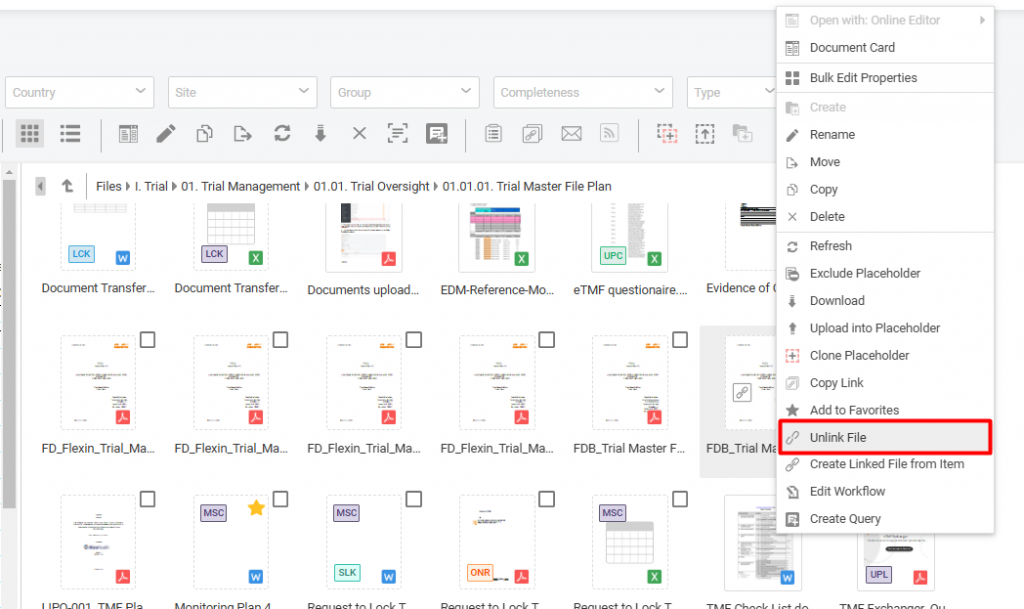
MSG/EML Viewer
An MSG/EML Viewer has been added to the Trial Master module:
- Users can open emails uploaded to the module by double-clicking on the document icon.
Auto Uploading Documents (Email Upload)
Users added to the email upload list can now send documents directly to ‘Inbox’ subfolders and create new ones:
- To upload documents, include the following in the email subject line:
- project=PROJECT CODE; subfolder=FOLDER NAME
Benefits:
- Streamlines the process of managing email-based document uploads.
- Reduces manual effort by automating file organization.
- Improves efficiency in document handling and accessibility.
These updates reflect our commitment to improving the user experience and providing powerful tools for effective clinical trial management. We encourage you to explore these new features and provide feedback to help us continue enhancing our platform.